
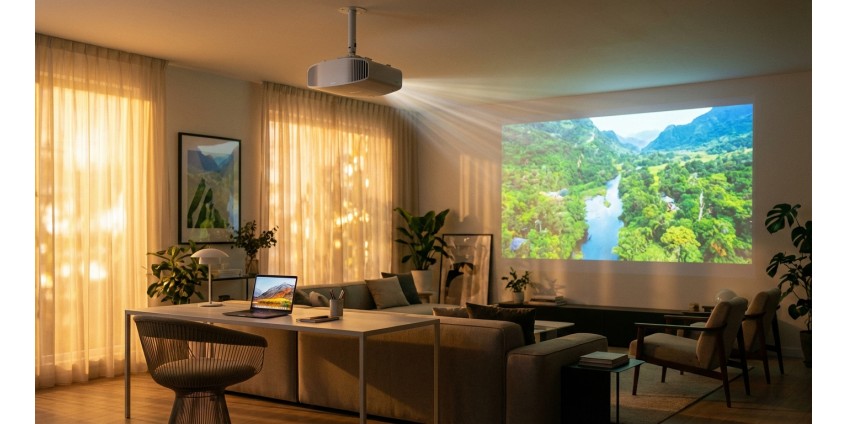
How to Choose a Projector for Home, Office, and Education: Resolution, Brightness, DLP vs LCD Technologies in 2026
Projectors have long ceased to be exclusively office equipment. In 2026, they are actively used for home theaters, online learning, presentations, and gaming. But the variety of models on the market can confuse even an experienced user. How do you choose a projector that will be perfect for your specific needs? Let's explore the key parameters and technologies.
Projector Resolution: From Basic to Professional
Resolution determines the sharpness and detail of the image. This is one of the most important parameters to pay attention to when choosing a projector.
Main Resolution Standards
SVGA (800×600) — the most basic option, suitable only for basic presentations with text and simple graphics. This is no longer sufficient for modern needs.
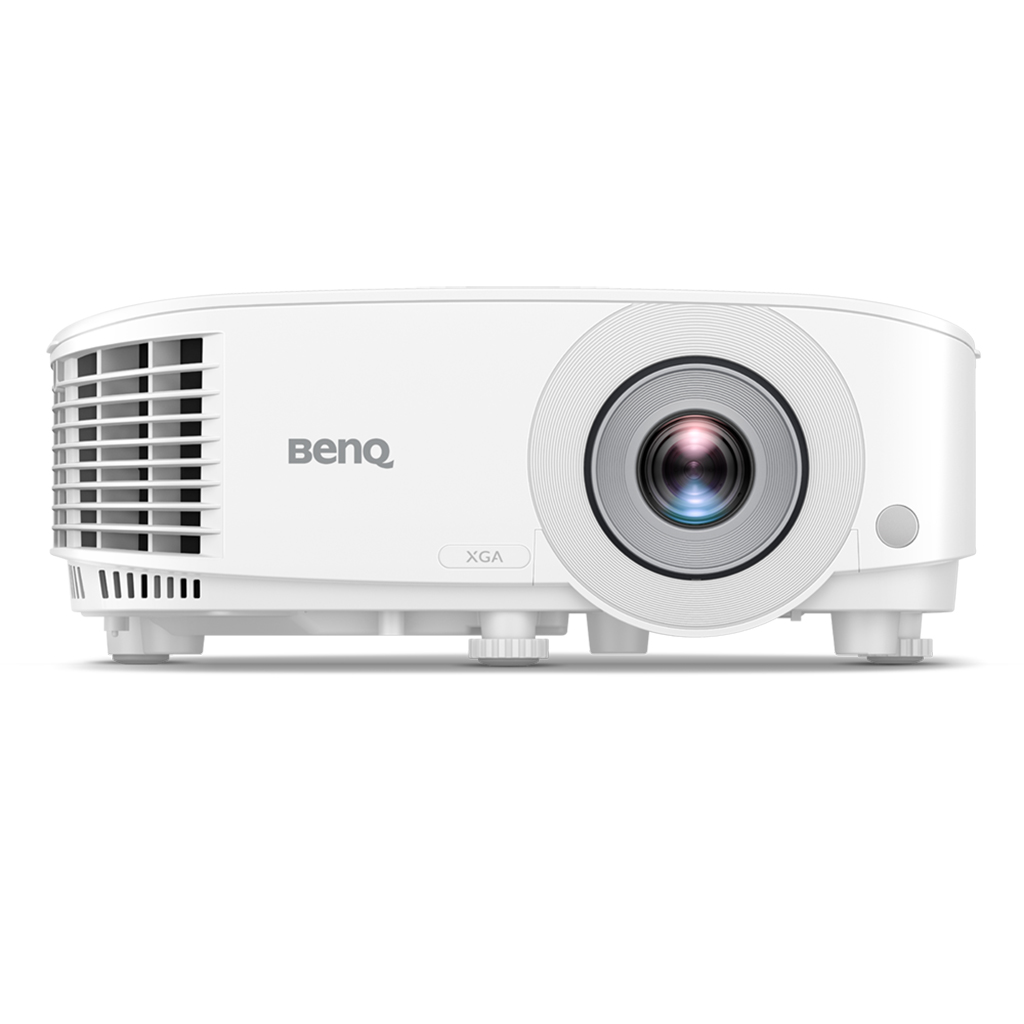
XGA (1024×768) — an optimal choice for office presentations and educational institutions. This is the resolution of the BENQ MX560 Projector, DLP, XGA, 4000Lm, which is perfect for conference rooms and auditoriums. The 4:3 format ideally matches most business documents and presentations.
Full HD (1920×1080) — the standard for home theaters. Provides excellent quality when watching movies, series, and games. If you plan to use the projector for entertainment, this is the option to choose.
4K (3840×2160) — a premium solution for the most demanding users. Ideal for large screens from 100 inches, where the difference in detail becomes especially noticeable.
Projector Brightness: How Many Lumens Do You Need?
Brightness is measured in lumens (lm) and determines how bright the image will be. This parameter is critically important, as it determines whether you can comfortably use the projector in daylight.
Recommendations by Purpose
For a home theater in a darkened room, 1500-2500 lumens is sufficient. This will provide deep black color and natural color reproduction.
For a living room with moderate lighting, 2500-3500 lumens is optimal. Such a projector will allow you to view content even with the lights on.
For office and education, you need a minimum of 3000-4000 lumens. The BENQ MX560 with 4000 lumens brightness handles this task perfectly, providing a clear image even in brightly lit conference rooms.
For large auditoriums and halls with 50+ people, 5000+ lumens is recommended so that every participant can comfortably see the presentation.
DLP vs LCD: Which Technology is Better?
The two main projection technologies have their advantages and disadvantages. Understanding the difference will help you make the right choice.
DLP Technology (Digital Light Processing)
DLP projectors use micromirrors to create an image. Main advantages:
- High contrast — deep black color and vivid image
- Compactness — DLP projectors are usually smaller and lighter
- Durability — less prone to pixel burn-in
- Fast response — ideal for dynamic scenes and gaming
- Less maintenance — sealed construction protects against dust
The BENQ MX560 projector uses DLP technology, which provides it with a contrast ratio of 20000:1 and a sharp image without the "screen door" effect.
A potential drawback is the "rainbow effect," where some users may notice brief color flashes during rapid eye movements. However, modern DLP projectors have significantly minimized this problem.
LCD Technology (Liquid Crystal Display)
LCD projectors pass light through liquid crystal panels. Their advantages:
- Bright colors — natural and saturated color reproduction
- No rainbow effect — more comfortable for sensitive users
- Better light transmission — more light reaches the screen
- Lower price — usually cheaper than DLP counterparts
Disadvantages include the possibility of pixel burn-in with prolonged display of static images, larger dimensions, and the need for regular filter replacement.
Additional Parameters When Choosing a Projector
Contrast Ratio
Contrast ratio shows the difference between the brightest and darkest areas of the image. The higher this indicator, the deeper the black colors and the more vivid the picture. For a home theater, a minimum of 10000:1 is desirable; for an office, 3000:1 is sufficient.
Lamp Life
Traditional lamp projectors have a limited lamp life — from 3000 to 15000 hours depending on the mode. The BENQ MX560 offers a lifespan from 6000 to 15000 hours in different operating modes, ensuring long-term operation without additional costs.
An alternative is LED and laser projectors with a lifespan of up to 20000-30000 hours, but they are significantly more expensive.
Connection Interfaces
A modern projector should have:
- HDMI — for connecting laptops, media players, gaming consoles
- VGA/D-sub — for older computers and laptops
- USB — for direct content playback or powering devices
- Audio input/output — for connecting external speakers
The BENQ MX560 model is equipped with all necessary ports: 2 HDMI, 2 D-sub, USB Type-A, audio inputs and outputs, making it a universal solution for any task.
Keystone Correction
If the projector is not placed strictly perpendicular to the screen, the image becomes distorted. The keystone correction function fixes this programmatically. The BENQ MX560 supports vertical correction of ±40 degrees, allowing flexible device placement.
Built-in Speakers
For small rooms and presentations, it's convenient to have built-in speakers. They won't replace a full sound system for a home theater, but they're quite sufficient for office presentations.
Choosing a Projector by Usage Scenario
For Home Theater
Priorities: high resolution (Full HD or 4K), good contrast ratio (from 10000:1), moderate brightness (2000-3000 lm), DLP technology for better black color. 16:9 image format.
For Office and Presentations
Priorities: high brightness (3500-4500 lm), XGA or WXGA resolution, reliability, various connection interfaces. The BENQ MX560 perfectly meets these requirements, providing a clear image even in bright office lighting.
For Educational Institutions
Similar requirements to office projectors, but ease of use, durability, and operational economy are also important. Projectors with long lamp life reduce maintenance costs.
For Gaming
Important factors include low input lag, high refresh rate, Full HD or 4K resolution. DLP technology is better due to faster response.
Projector Placement and Operation
Proper projector placement critically affects image quality. Most models can be placed on a table, mounted on the ceiling, or used with a special stand.
Consider the throw ratio — the distance from the projector to the screen divided by the image width. The BENQ MX560 has a zoom ratio of 1.1x, allowing flexible installation distance selection.
For quality image, it's important to ensure:
- Adequate ventilation around the projector
- Protection from direct sunlight
- Stable mounting without vibrations
- Regular filter cleaning (for LCD models)
Useful Projector Accessories
For maximum comfort when using a projector, consider purchasing:
- Projection screen — provides better image quality compared to projecting on a wall
- Ceiling mount — saves space and ensures optimal projection angle
- HDMI cables — for connecting various devices
- Carrying case — if you plan to transport the projector
It's also useful to have a spare lamp so as not to interrupt important presentations or viewings. Check out our selection of electronics and accessories in our store for comprehensive equipment for your workspace or home theater.
Conclusion
Choosing a projector in 2026 depends on specific needs and usage conditions. For office and education, the optimal solution is a model with high brightness (from 3500 lm), XGA resolution, and reliable DLP technology. For a home theater, it's better to choose a Full HD projector with high contrast and moderate brightness.
DLP technology provides better contrast, compactness, and durability, making it ideal for most applications. LCD projectors offer brighter colors at a lower price but require more maintenance.
Don't forget to consider additional parameters: lamp life, availability of necessary interfaces, image correction features, and built-in speakers. A properly selected projector will serve you for years, providing quality images for work, education, or entertainment.


![Collectible figure Labubu Toy [FDM printing]](https://gadgetguys.com.ua/image/cache/catalog/easyphoto/5906/grashka-ruhliva-red-panda-chervona-panda-fdm-druk-1-266x266.png "Collectible figure Labubu Toy [FDM printing]")
