
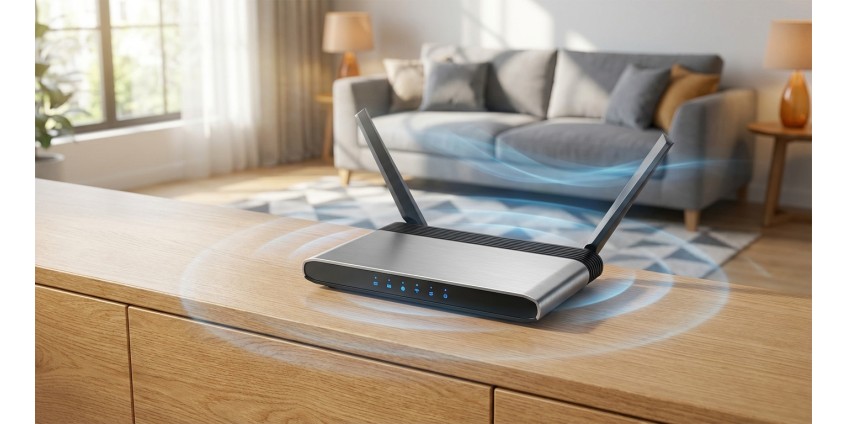
How to Choose a Router for an Apartment or Private House: Speed, Coverage, Wi-Fi 5/6/7 Standards in 2026
Choosing a router is one of the most important decisions for creating a stable home network. In 2026, the requirements for Internet speed and Wi-Fi coverage have increased, as we use dozens of devices at the same time: smartphones, laptops, smart TVs, video surveillance cameras and other gadgets. A properly selected router will ensure comfortable operation of all devices without connection interruptions and slowdowns.
In this article, we will take a detailed look at what to look for when choosing a router, what Wi-Fi standards exist today, and how to determine the optimal model for an apartment or private house.
Main features of the router
Before purchasing a router, it's important to understand the key parameters that affect network performance. This will help avoid disappointment and ensure a stable connection on all your devices.
Data transfer speed
Wi-Fi speed is one of the most important parameters. Modern routers support speeds from 300 Mbps to 10 Gbps and more. For a small apartment with basic needs (watching videos, social networks, working with documents), a router with a speed of up to 1200 Mbps is enough. For example, the Cudy WR1200E Router, AC1200 Wi-Fi Router provides speeds of up to 867 Mbps at a frequency of 5 GHz, which is quite enough for most household tasks.

If you have many devices in your home, play online games, work with large files, or stream in high quality, you should consider models with higher speeds and support for the latest Wi-Fi standards.
Number of frequency bands
Modern routers operate in two main bands: 2.4 GHz and 5 GHz. The 2.4 GHz band provides better coverage over longer distances and penetrates walls better, but has slower speeds and is more congested by other devices (microwaves, cordless phones). The 5 GHz band offers faster speeds but a shorter range.
Dual-band routers allow you to use both frequencies simultaneously, distributing the load between devices. This is the optimal choice for most users in 2026.
Number of antennas and their type
Antennas affect signal quality and coverage area. External antennas usually provide a better signal than internal ones. The number of antennas also matters - the more there are, the more stable the coverage. Routers with 2-4 antennas are suitable for apartments, and for large private houses it is better to choose models with 6 or more antennas or consider mesh systems.
Wi-Fi standards: 5, 6, and 7 — what's the difference?
Wi-Fi standards are constantly evolving, offering higher speeds, better stability, and support for more devices at the same time.
Wi-Fi 5 (802.11ac)
Wi-Fi 5 is a proven standard that has been actively used since 2014. It operates mainly at a frequency of 5 GHz and provides speeds of up to 3.5 Gbps. For a small apartment or office, this is quite enough. Routers with Wi-Fi 5 are available at a reasonable price and support most modern devices.
Wi-Fi 6 (802.11ax)
Wi-Fi 6 is a significant step forward. The standard delivers speeds of up to 9.6 Gbps, performs better in high-density environments thanks to OFDMA technology, which allows it to serve many clients simultaneously. Wi-Fi 6 is also more energy efficient, which is important for smartphones and tablets.
If you have many IoT devices at home (smart bulbs, cameras, sensors), Wi-Fi 6 will ensure the stable operation of the entire ecosystem.
Wi-Fi 7 (802.11be)
Wi-Fi 7 is the latest standard that is only gaining popularity in 2026. It offers speeds of up to 46 Gbps, extremely low latency, and support for three bands simultaneously (2.4 GHz, 5 GHz, and 6 GHz). It is the perfect choice for professionals, gamers, and those who want to equip their home with technology for years to come.
However, it is worth considering that to take advantage of all the benefits of Wi-Fi 7, compatible devices are required, which are not yet so common.
Choosing a router for an apartment
For a typical apartment with an area of 50-80 m², a dual-band router with Wi-Fi 5 or Wi-Fi 6 is suitable. Main criteria:
- Speed: from 1200 Mbps
- Number of antennas: 2-4 pcs.
- VPN support for secure work
- Availability of 3-4 LAN ports for connecting stationary devices
If you live in a multi-story building with a large number of neighboring networks, choose a router with beamforming technology, which directs the signal directly to your devices, minimizing interference.
Choosing a router for a private home
A private house requires a more powerful solution due to the increased area and possible obstacles (thick walls, several floors). Recommendations:
- Powerful router with Wi-Fi 6 or Wi-Fi 7
- 6 or more antennas or mesh system
- Guest network support for IoT device isolation
- Ability to connect external access points
For large houses (over 150 m²), it is worth considering mesh systems, which consist of several modules and create a seamless network throughout the entire territory.
Additional features worth paying attention to
Ports and connections
Make sure there are enough LAN ports to connect computers, TVs, or game consoles. USB ports allow you to connect external drives for home storage or printers for sharing.
VPN support
A router-level VPN protects all devices on the network, which is especially important for remote work and privacy.
Parental control
The function allows you to restrict access to certain sites and set time limits for Internet use for children's devices.
QoS (Quality of Service)
Traffic prioritization technology ensures stable operation of critical applications (video calls, online games) even under high network load.
Where to buy and what to look for
When choosing a router, pay attention to user reviews, manufacturer warranty, and support for firmware updates. At the GadgetGuys online store, you will find a wide range of routers for every need and budget.
It’s also worth considering the accompanying accessories. If your router is far from your workplace, you may need network cables to connect stationary devices stably. To protect your equipment from voltage surges, consider power filters and adapters .
Practical summary
The choice of router depends on your specific needs, the area of the room and the number of devices. For a small apartment, a dual-band router with Wi-Fi 5 or Wi-Fi 6 and speeds up to 1200 Mbps is suitable. For a private house, it is better to choose a more powerful model with Wi-Fi 6 or Wi-Fi 7, a large number of antennas or a mesh system.
Pay attention to the number of ports, VPN support, parental controls, and QoS technology. Don't forget about regular firmware updates to ensure security and network stability.
The right router will provide comfortable work, entertainment, and learning for the whole family for years to come. Invest in quality equipment and you will feel the difference in the speed, stability, and coverage of your home network.
