


Mini Quadcopters for Beginners in 2026: How to Learn to Fly a Drone Indoors Without Risk of Damage
Quadcopters have long ceased to be a toy exclusively for professionals or aerial photography enthusiasts. Today, mini drones have become an accessible and exciting hobby for anyone who wants to try their hand at piloting aircraft. If you're just starting your journey into the world of drones or looking for a safe option for learning at home, mini quadcopters are the perfect choice to get started.
In this article, we'll take a detailed look at how to choose your first mini drone, what to pay attention to when buying, how to safely learn to control a quadcopter indoors, and what mistakes beginners most often make. We'll also share practical tips that will help you master basic maneuvers faster without the risk of damaging your drone or furniture.
Why Mini Quadcopters Are Ideal for Beginners
Mini drones have several important advantages that make them the optimal choice for those taking their first steps in piloting:
- Compact and lightweight: Small dimensions allow you to fly indoors without risking serious damage to furniture or the drone itself in case of collision.
- Affordable price: Mini quadcopters cost significantly less than professional models, so they're not as scary to damage during learning.
- Easy to control: Most models are equipped with gyro stabilization, which makes it easier to keep the drone in the air.
- Safety: Lightweight plastic blades can practically cause no injuries or damage.
- No registration required: Unlike large drones, mini models usually don't require official registration.
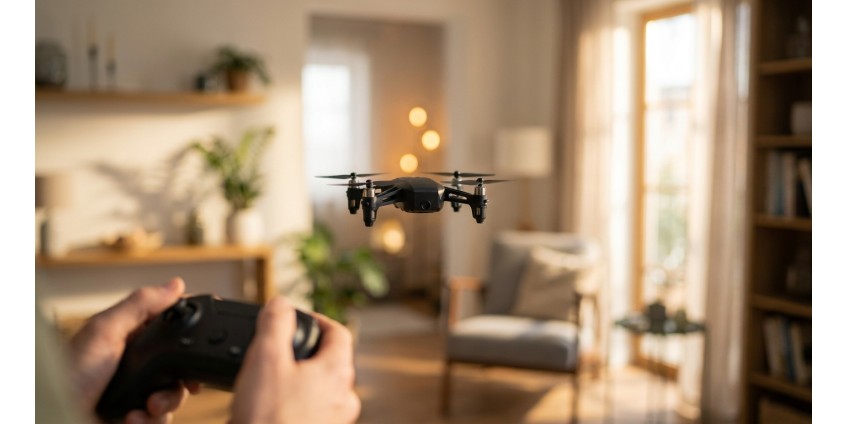
One of the great options for beginners is the Mini Quadcopter RC Drone HT02 Black — a compact model with a gyroscope and radio control that's perfect for mastering basic piloting skills.

What to Look for When Choosing Your First Mini Drone
Control Type
Most mini quadcopters are controlled using a radio transmitter (remote control) that comes included. This is the classic and most convenient method for learning, as it provides precise control over all drone movements. Some models also support smartphone control, but for beginners it's better to choose an option with a physical remote — it's easier to feel the drone's response to commands.
Gyroscope Presence
Gyro stabilization is a must-have feature for beginners. It automatically corrects the drone's position in the air, helping maintain stable flight even with minimal control skills. All modern mini quadcopters, including the RC Drone HT02 model, are equipped with this technology.
Flight Time and Battery Type
Mini drones typically fly for 5 to 10 minutes on a single charge. For beginners, this is quite sufficient for training, as first sessions are usually short and intense. Pay attention to the battery type — it's best if it's a removable Li-Po battery that can be quickly replaced with a charged one.
Propeller Protection
For indoor flights, it's critically important to have protective rings around the propellers. They protect not only furniture and walls from impacts, but also the blades themselves from breaking. Most mini quadcopters come with such protection.
Room Size
Pocket quadcopters are ideal for medium-sized rooms (from 15-20 sq.m). In overly tight spaces, it will be difficult to maneuver, and in large halls, problems with transmitter signal range may arise.
Preparing for Your First Flight
Create a Safe Space
Before launching the drone, make sure that in the room:
- All fragile items are removed from tables and shelves
- There are no pets or small children
- Ceiling fans are turned off
- There's enough free space overhead
- There are no open windows
Check Your Equipment
Before flight, be sure to:
- Fully charge the drone's battery
- Insert fresh batteries in the remote control
- Check that all propellers are securely attached
- Make sure the protective rings are in place
- Perform calibration (if provided in the instructions)
Learn Basic Controls
A standard mini quadcopter remote has two joysticks:
- Left stick: vertical movement (throttle up/down) and rotation around its axis (yaw)
- Right stick: movement forward/backward and left/right
Don't try to use all functions at once — start with simple takeoff and landing.
Step-by-Step Drone Control Training
Step 1: Takeoff and Altitude Hold
Your first task is to learn to smoothly lift the drone to a height of about 1 meter and keep it in place. Slowly push the left stick (throttle) up until the drone lifts off the floor. Try to keep it at one altitude, carefully adjusting the stick position. Don't rush — this is the most important skill.
Step 2: Soft Landing
Once you learn to stably keep the drone in the air, practice smooth landing. Slowly lower the left stick down, controlling the descent speed. The perfect landing is when the drone touches the floor softer than a falling feather.
Step 3: Rotation Around Axis
Without changing altitude, try rotating the drone left and right by moving the left stick horizontally. This will help you understand the drone's orientation in space — a critically important skill for further learning.
Step 4: Forward-Backward Movement
While keeping the drone at a stable altitude, carefully tilt the right stick forward and backward. The drone will start moving in the chosen direction. Start with very small stick movements — mini quadcopters are very sensitive to commands.
Step 5: Left-Right Movement
Similar to the previous step, but move the right stick horizontally. Try flying from one wall to another while maintaining stable altitude.
Step 6: Combined Maneuvers
Once you've mastered basic movements separately, start combining them: flying in a square, figure eight, circle. These exercises develop coordination and prepare you for more complex maneuvers.
Common Beginner Mistakes and How to Avoid Them
Too sharp stick movements: Mini drones are very sensitive. Beginners often make sharp movements, which leads to loss of control. Solution — give all commands smoothly and gradually.
Panic when losing control: If the drone starts behaving unpredictably, just release the throttle (left stick to neutral position). The drone will fall to the floor more softly than if you try to fix the situation with chaotic movements.
Flying with a discharged battery: When the battery runs low, the drone becomes difficult to control. Don't exhaust the battery completely — land when you notice the first signs of power loss.
Ignoring calibration: Some models require gyroscope calibration before flight. If the drone constantly drifts to one side, reread the instructions regarding calibration.
Flying near your face: Even a mini drone can hit your face and cause unpleasant sensations. Always keep a safe distance and wear glasses during first flights.
Mini Quadcopter Maintenance
To make your drone last long, follow simple rules:
- Regularly clean propellers from dust with a soft brush
- Check motor mounts after each crash
- Don't store the drone with a completely discharged battery
- Have spare propellers — they break most often
- Don't fly in dusty rooms — dust gets into motors
For storing the drone and accessories, it's convenient to use special organizers, which can be found in the Home Decor and Organization section.
When to Move Outdoors and to Larger Models
After you confidently control a mini drone indoors, you can try going outside. However, remember that outdoors there are additional factors:
- Wind — even a light breeze can blow away a mini drone
- Sunlight — it can be difficult to see the drone against the sky
- Larger space — easier to lose orientation
- Obstacles — trees, wires, birds
For outdoor flights, it's better to choose a more powerful model with GPS and return-to-home function. Such quadcopters can be found in the Quadcopters category of our store.
Additional Accessories for Comfortable Learning
To make the learning process even more convenient, consider purchasing:
- Spare batteries: Mini drone flight time is limited, so additional batteries will allow you to train longer without waiting for charging
- Multi-port charger: If you have several batteries, it's convenient to charge them simultaneously
- Spare propellers: You'll definitely need them — they're a consumable item
- Protective glasses: Especially for children and teenagers
- Storage bags: For convenient transportation of the drone and accessories
If you need chargers or cables, check out the Chargers section, which features a wide selection of accessories.
Mini Quadcopters as a Gift
Mini drones are a wonderful gift for both children aged 8 and up and adults interested in technology. It's not just a toy, but a full-fledged hobby that develops:
- Motor coordination
- Spatial thinking
- Concentration
- Technical literacy
- Patience and perseverance
Moreover, it's an activity that brings the whole family together — flying a drone is interesting for both children and parents.
Conclusion
Learning to control a mini quadcopter indoors is a safe, accessible, and exciting way to enter the world of drones. Starting with simple models like the Mini Quadcopter RC Drone HT02, you'll gradually develop skills that will allow you to move on to more complex and functional drones.
The main thing is not to rush, methodically master each maneuver separately, and not be afraid of crashes. Every professional pilot was once a beginner, and they all went through dozens, if not hundreds, of crash landings. Mini drones are created precisely so you can learn from mistakes without serious consequences.
Dedicate at least 15-20 minutes a day to training, and in just a week you'll notice significant progress. After a month of regular training, you'll be able to perform complex maneuvers with ease, and after three months you'll be ready for outdoor flights and transitioning to more serious models. Happy flying!
Products related to this post

₴79 грн.
Add to Cart
₴2,999 грн. ₴3,599 грн.
Add to Cart
₴23,625 грн. ₴31,540 грн.
Add to Cart