



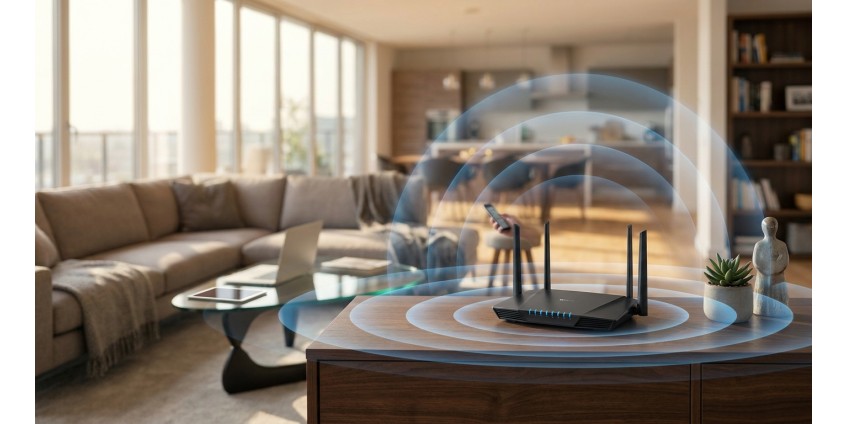
How to Choose a Router for a Large Apartment in 2026: Wi-Fi 6 vs Wi-Fi 5 Standards, Coverage Area, MU-MIMO Technology, and MESH
In 2026, choosing the right router for a large apartment isn't just about buying a device with the highest speed. It's a comprehensive solution that must provide stable coverage in all rooms, support dozens of connected gadgets simultaneously, and meet modern wireless communication standards. Let's explore what exactly you should pay attention to when selecting a router for a spacious home.
Wi-Fi 6 vs Wi-Fi 5: Is It Worth Paying Extra for the New Standard?
The first question every buyer faces is whether they need a router with Wi-Fi 6 (802.11ax) support, or if Wi-Fi 5 (802.11ac) will suffice. The difference between these standards is significant, especially for large apartments with numerous devices.
Wi-Fi 6 offers not only higher theoretical speeds (up to 9.6 Gbps versus 3.5 Gbps for Wi-Fi 5), but also revolutionary technologies for working with multiple devices simultaneously. OFDMA technology allows for more efficient channel distribution among connected gadgets, which is critically important when your network includes smartphones, tablets, laptops, smart TVs, and other IoT devices.
For a large apartment of 80 square meters or more, Wi-Fi 6 becomes practically essential. This standard handles obstacles like walls, furniture, and neighbors' wireless networks better, which is especially relevant for apartment buildings.
Optimal Choice: TP-Link Archer AX53
Among available solutions for a large apartment, it's worth considering the TP-Link Archer AX53 AX3000 Router 4xGE LAN 1xGE WAN MU-MIMO OFDMA MESH. This router supports the Wi-Fi 6 standard with maximum speeds up to 3000 Mbps (2402 Mbps on 5 GHz and 574 Mbps on 2.4 GHz).
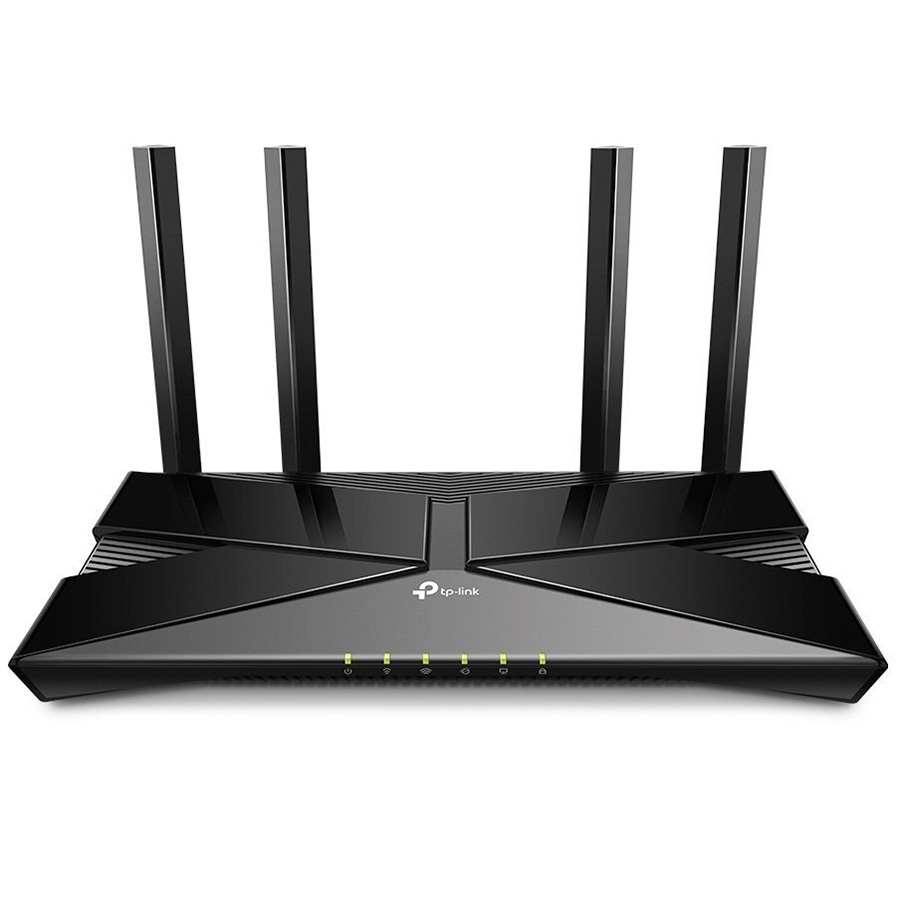
The Archer AX53 is equipped with four gigabit LAN ports, allowing you to connect desktop computers, gaming consoles, or smart TVs via wired connection for maximum connection stability. Four external antennas provide wide coverage, while support for MU-MIMO and OFDMA technologies ensures efficient operation with multiple devices simultaneously.
MU-MIMO Technology: Simultaneous Operation with Multiple Devices
MU-MIMO (Multi-User Multiple Input Multiple Output) is a technology that allows the router to communicate with multiple devices simultaneously, rather than sequentially. In older routers without MU-MIMO, each gadget waits its turn for data transmission, creating delays when many devices are connected.
Imagine this situation: someone is watching 4K video on TV, another person is playing online games, and a third is conducting a video conference. Without MU-MIMO, all these data streams would be processed sequentially, creating lags and delays. With MU-MIMO, the router can service all these devices in parallel.
The Archer AX53 supports MU-MIMO for 4 devices simultaneously, which is quite sufficient for a typical large apartment. This means that even with active network use by all family members, everyone will get a stable connection without speed loss.
Coverage Area: How to Calculate the Required Number of Routers
For an apartment of 80-100 square meters, one powerful Wi-Fi 6 router placed in the central part of the home is usually sufficient. However, if you have an apartment with non-standard layout, thick load-bearing walls, or an area over 120 square meters, you should consider a MESH system.
Important factors affecting coverage:
- Wall material — reinforced concrete structures significantly weaken the signal, while drywall partitions have almost no effect on its quality
- Number of floors — two-level apartments often require a MESH system
- Presence of mirrors and metal surfaces — they reflect radio waves, creating dead zones
- Neighboring networks — in densely populated buildings, interference from other routers can reduce signal quality
One router with four external antennas can provide quality coverage in an apartment up to 150 square meters, provided there are no serious obstacles. For larger areas or complex layouts, a MESH system is necessary.
MESH Systems: Seamless Coverage for Large Spaces
MESH (mesh network) is a technology that allows you to combine multiple access points into a single wireless network. Unlike traditional repeaters that simply amplify the signal (while reducing speed by half), a MESH system creates an intelligent network with seamless roaming.
MESH advantages for a large apartment:
- Single network — you create one Wi-Fi network with one password, and the system automatically switches your device to the nearest access point
- No dead zones — by placing MESH nodes in different rooms, you guarantee coverage in all corners of the apartment
- Self-optimization — the system automatically selects the best channels and distributes load among nodes
- Easy scaling — you can add additional nodes at any time
The TP-Link Archer AX53 supports OneMesh technology, which allows you to easily expand coverage by adding compatible TP-Link devices. This makes it an ideal choice for those planning to gradually build a MESH system, starting with one router.
Setting Up a MESH System Based on Archer AX53
The process of creating a MESH network with the Archer AX53 is maximally simplified thanks to the TP-Link Tether app:
- Install the main Archer AX53 router in the central part of the apartment and connect it to your internet provider
- Download the TP-Link Tether app on your smartphone and perform basic router setup
- Identify zones with the weakest signal using the coverage analysis function in the app
- Purchase additional OneMesh-compatible devices (for example, RE series extenders) and place them in problem zones
- Enable the OneMesh function in router settings and add new devices — they will automatically integrate into the network
It's important to place MESH nodes at a distance where they still receive a quality signal from the main router — typically this is half the maximum coverage range. For an apartment, this means placing additional nodes 8-12 meters from the main router.
Additional Important Router Characteristics
Besides the main parameters, when choosing a router for a large apartment, pay attention to:
VPN support — The Archer AX53 supports VPN connections, which is important for secure work from home or access to regionally restricted content.
Number of LAN ports — four gigabit ports allow you to connect stationary devices via wired connection, ensuring maximum speed and stability for gaming or streaming video.
Dual-band — operation on two frequencies (2.4 GHz and 5 GHz) allows you to distribute devices: older gadgets and IoT devices connect to 2.4 GHz with better wall penetration, while modern smartphones and laptops connect to 5 GHz with higher speed.
Beamforming — directional signal technology that concentrates the Wi-Fi beam toward the connected device, increasing range and connection stability.
Alternative Solutions for Network Expansion
If you're looking for additional network equipment to improve coverage, you should also consider Wi-Fi extenders, which can work in conjunction with the main router. However, for a large apartment, a full MESH system will be a significantly more effective solution.
Practical Tips for Router Placement
Even the most powerful router won't provide optimal coverage if it's placed incorrectly. Here are key recommendations:
- Install the router as close to the center of the apartment as possible, not near the entrance door
- Place the device at a height of 1-2 meters from the floor — this ensures optimal signal distribution
- Avoid placing the router in closed cabinets, behind the TV, or near a microwave oven
- Orient antennas in different directions — for example, two vertically, two at a 45-degree angle
- Don't place the router near large metal objects or aquariums
Home Network Security
For a large apartment where many devices connect to the network, security becomes especially relevant. The Archer AX53 supports the modern WPA3 encryption protocol, which is significantly harder to crack than the old WPA2. Be sure to:
- Change the default router administrator password
- Use a strong password for the Wi-Fi network (minimum 12 characters with letters, numbers, and special characters)
- Enable a guest network for visitors to isolate them from your main devices
- Regularly update the router firmware
- Disable WPS if you don't use this feature
Conclusion: What to Choose for a Large Apartment in 2026
For a large apartment in 2026, the optimal choice will be a router with Wi-Fi 6 support, MU-MIMO and OFDMA technologies, and the ability to create a MESH system. The TP-Link Archer AX53 at a price of 3748 hryvnias offers exactly this functionality, providing an excellent balance between price and capabilities.
This router can provide stable coverage in an apartment up to 150 square meters, supports simultaneous connection of dozens of devices without speed loss, and thanks to OneMesh, easily scales when necessary. Four gigabit LAN ports, VPN support, and modern security protocols make it a universal solution for a modern home network.
Remember that successful home Wi-Fi network operation depends not only on equipment specifications, but also on proper placement, configuration, and security maintenance. By investing in a quality router with support for modern technologies, you ensure stable internet for years to come.
Products related to this post

₴2,999 грн. ₴3,599 грн.
Add to Cart
₴3,749 грн.
Add to Cart
₴76,230 грн. ₴101,768 грн.
Add to Cart