



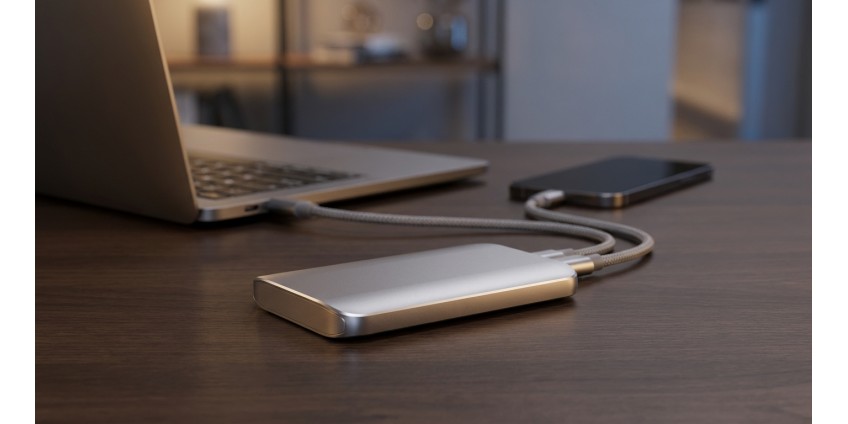
How to Choose an External SSD for Laptop and Smartphone in 2026: Speed, Storage Capacity, Interfaces, and Data Protection
External SSD drives have become an indispensable accessory for anyone working with large amounts of data, creating content, or simply needing reliable backup. In 2026, the market offers a huge selection of portable solid-state drives with various specifications, interfaces, and protection levels. Let's explore what to look for when choosing an external SSD and how to select the optimal option for your needs.
Why Choose SSD Over HDD in 2026
Solid-state drives have completely displaced traditional hard drives from the portable solutions segment, and there are good reasons for this. SSDs have no moving parts, making them resistant to shocks and drops—a critical advantage for a portable device. Read and write speeds in modern SSDs exceed HDD performance by 5-10 times, which is especially noticeable when working with large files, 4K video, or photo libraries.
Energy efficiency is another important factor. SSDs consume less power, which extends laptop battery life or doesn't drain your smartphone as quickly during data transfer. The compact size of modern models allows you to carry the drive in your pocket, and silent operation makes them ideal for use in any conditions.
Storage Capacity: How Many Gigabytes Do You Really Need
Choosing the capacity of an external SSD depends on your specific tasks. For basic backup of documents, photos, and occasional videos, 256-512 GB is quite sufficient. Such drives are compact, affordable, and easily fit even in a small bag.
If you work with video, do editing, or store large media libraries, consider models with 1-2 TB. This is the sweet spot between price and functionality. Photographers, videographers, and content creators often choose exactly these solutions.
For professional tasks requiring storage of RAW files, high-resolution projects, or creating backups of multiple devices, there are models with 4 TB and more. They cost more, but provide peace of mind for years to come.
Connection Interfaces: USB-C, Thunderbolt, and Compatibility
The connection interface directly affects data transfer speed. In 2026, USB-C has become the de facto standard, combining compactness, versatility, and high bandwidth. Most modern laptops and flagship smartphones are equipped with exactly these ports.
USB 3.2 Gen 2 provides speeds up to 10 Gbps, which is sufficient for most tasks. If your device supports USB 3.2 Gen 2x2 or USB4, you'll get speeds up to 20-40 Gbps respectively. For maximum performance, professionals choose drives with Thunderbolt 3 or 4, which provide speeds up to 40 Gbps.
It's important to pay attention to the included cable. Some manufacturers offer models with two cables—USB-C to USB-C and USB-C to USB-A for compatibility with older devices. This is convenient if you plan to use the drive with different gadgets.
For connecting to Android smartphones, make sure your phone supports OTG (On-The-Go). Most modern models have this feature, but it's better to check in advance. iPhone owners will need drives with a special Lightning connector or a USB-C to Lightning adapter.
Read and Write Speeds: What the Numbers Mean
Manufacturers specify maximum read and write speeds in specifications, but actual performance may vary. Typical read speed for modern portable SSDs is 500-1050 MB/s for models with SATA interface and 1500-3500 MB/s for NVMe drives.
Write speed is usually somewhat lower. It's important to understand that these figures are achieved when working with large files. When copying many small files, speed may decrease due to file system characteristics.
For everyday tasks—backup, storing photos and documents—a speed of 500-600 MB/s is sufficient. If you edit video directly from an external drive or work with RAW files, look for models with speeds from 1000 MB/s.
Data Protection: Encryption and Physical Durability
Data security is a critical aspect when choosing an external drive. Many modern SSDs offer 256-bit AES hardware encryption, which protects your information from unauthorized access even in case of loss or theft of the device. Some models have a built-in password protection feature.
Physical durability is no less important. Look for drives with IP65 protection rating or higher—they are resistant to dust and moisture. Aluminum or durable plastic housings with rubber bumpers provide additional protection against impacts. Some manufacturers test their models for drops from heights of 2-3 meters.
For particularly valuable data, there are models with dual protection—hardware encryption and a durable shock-resistant housing. Such solutions cost more, but guarantee the maximum level of security.
Additional Features and Accessories
Modern external SSDs often offer additional capabilities. Some models are equipped with a built-in card reader for quick photo transfer from a camera. Others have RGB lighting for gamers or data transfer activity indicators.
Software from the manufacturer may include utilities for monitoring drive health, automatic backup, or synchronization with cloud services. These are convenient additions that simplify working with the device.
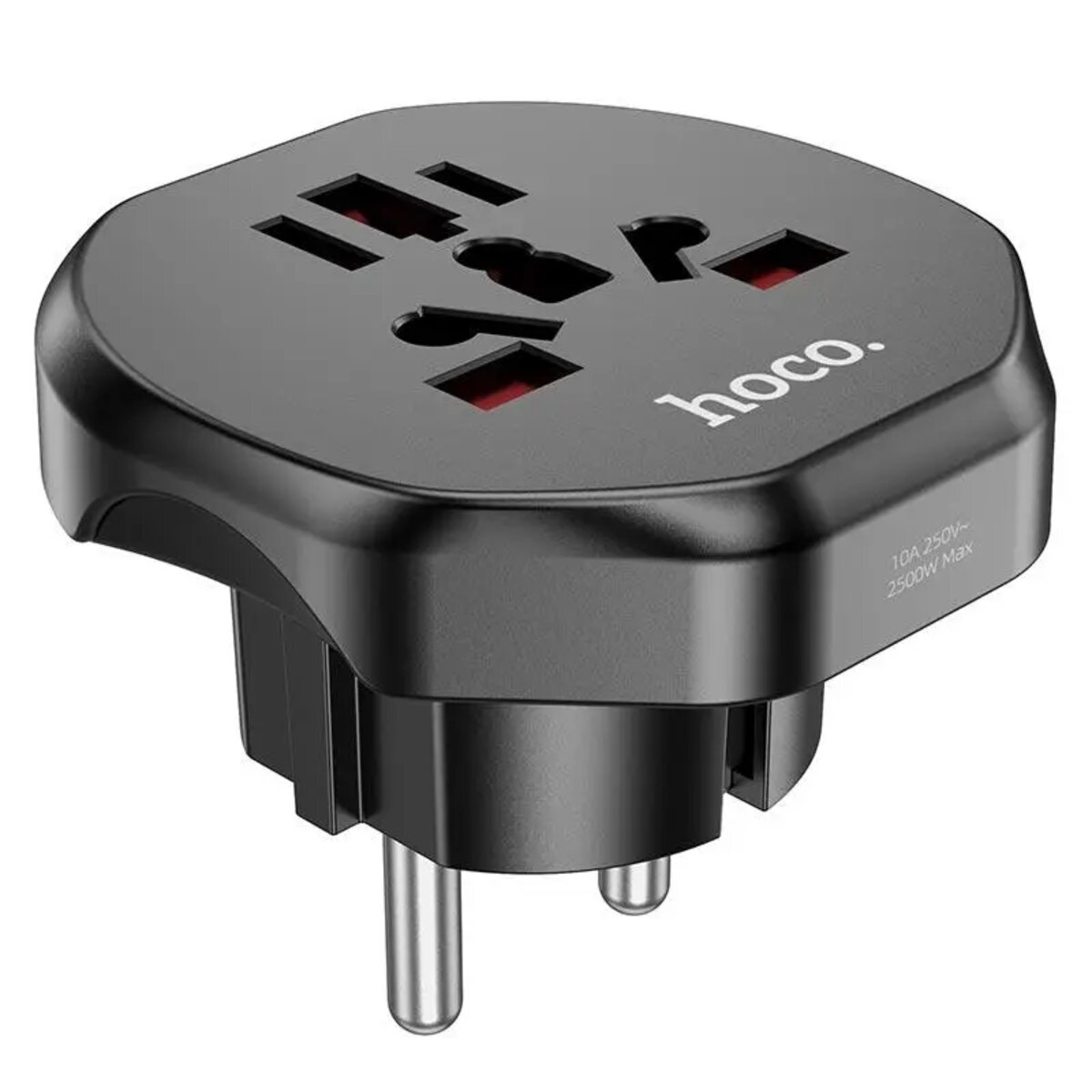
If you travel frequently, pay attention to what's included. A storage and transport case, additional cables, or even power adapters can come in handy. By the way, if you need a universal travel adapter, the HOCO AC6 Unimpeded universal conversion plug Black will be a useful addition to your gadget collection.
Operating System Compatibility
Most external SSDs are sold formatted in the exFAT file system, which is compatible with Windows, macOS, Linux, and Android. This is a universal option for use with different devices. However, for optimal performance with a specific OS, you can reformat the drive.
For Windows, it's better to use NTFS, for macOS—APFS or HFS+. If you plan to use the drive exclusively with one type of device, the native file system will provide better performance and reliability.
Smartphone owners should make sure their device supports working with external drives. Most Android phones with version 6.0 and newer support this feature. For iOS, you need version 13 or newer and a special adapter or drive with a Lightning connector.
What Else to Consider When Choosing
Manufacturer's warranty is an important quality indicator. Most reliable brands offer warranties from 3 to 5 years. This indicates the manufacturer's confidence in the durability of their products. Check the warranty terms—does it cover accidental damage or only factory defects.
The size and weight of the drive matter if you often carry it with you. Compact models the size of a credit card and weighing 30-50 grams are ideal for mobile use. Larger models may have better cooling systems and higher performance.
Price is always an important factor. In 2026, the cost of external SSDs has decreased significantly compared to previous years. You can find quality 512 GB models at a reasonable price. The most expensive option isn't always the best—evaluate the ratio of specifications to price.
Useful Accessories for External Drives
For convenient storage and organization of all your gadgets and cables, you may need additional accessories. If you have many different devices, consider purchasing organizers or even special cases for electronics.
For those working with multiple drives simultaneously, USB hubs will be useful, allowing you to connect several devices to one port. This is especially relevant for modern ultrabooks with a limited number of ports.
If you're looking for internal solutions to upgrade your computer or laptop, check out the SSD catalog, which features various options for improving your system's performance.
Practical Tips for Using External SSDs
After purchasing an external SSD, follow a few simple rules to extend its lifespan. Always safely disconnect the drive using the safe removal function in the operating system. This prevents data loss and file system corruption.
Regularly back up important data. Even the most reliable drive can fail, so duplicating critical information to another medium or cloud storage is a mandatory practice.
Avoid extreme temperatures. Although SSDs are more resistant to temperature fluctuations than HDDs, prolonged exposure to frost or heat can negatively affect electronics. Don't leave the drive in a car in summer or outside in winter.
Periodically check the drive's condition using specialized software. Most manufacturers offer free utilities for monitoring SSD health that warn of potential problems.
Conclusion: How to Make the Right Choice
Choosing an external SSD in 2026 is a balance between storage capacity, speed, reliability, and price. For most users, the optimal choice will be a 512 GB - 1 TB drive with USB 3.2 Gen 2 interface and read speed around 1000 MB/s. Such models provide sufficient performance for everyday tasks at a reasonable price.
If you work professionally with media content, invest in faster models with NVMe and Thunderbolt 4. For storing particularly important data, choose drives with hardware encryption and a durable housing. Don't forget about compatibility with your devices—check for the necessary ports and OTG support for smartphones.
Pay attention to brand reputation and warranty terms. Well-known manufacturers usually offer better support and more reliable products. Read reviews from real users to avoid unpleasant surprises. A properly chosen external SSD will become a reliable assistant for many years, providing quick access to your data at any time.
Products related to this post

₴198 грн. ₴245 грн.
Add to Cart

₴23,625 грн. ₴31,540 грн.
Add to Cart
₴76,230 грн. ₴101,768 грн.
Add to Cart