



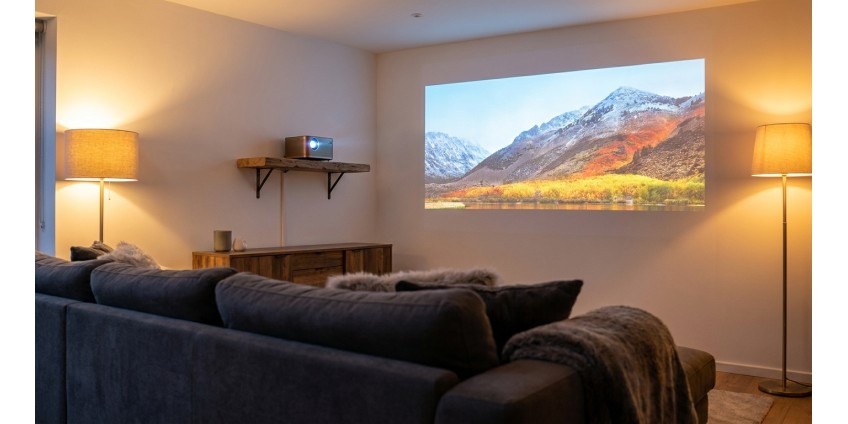
How to Choose a Projector for Home Theater and Presentations in 2026: Resolution, Brightness, Contrast, and Connectivity
Projectors have long ceased to be exotic devices reserved for offices or lecture halls. In 2026, they are full-fledged multimedia devices that allow you to create a true home theater or deliver professional presentations. However, the variety of models on the market can confuse even experienced users. Let's explore which parameters to pay attention to when choosing a projector and how to avoid overpaying for unnecessary features.
Why a Projector is a Smart Investment
Compared to large televisions, projectors offer significantly larger screen sizes for less money. While a 75-inch TV costs a considerable amount, a projector will provide you with a 100-120 inch image at a much more affordable price. This is an ideal solution for watching movies, sports broadcasts, video games, and conducting business presentations.
Modern projectors are compact, easy to install, and connect to various devices. They consume less electricity compared to large TVs and take up minimal space in your home or office.
Resolution: How Many Pixels Do You Need
Resolution is the number of pixels a projector can display on the screen. This parameter determines image clarity and detail. In 2026, the market offers projectors with various resolutions:
- SVGA (800×600) — an outdated format, suitable only for simple text presentations
- XGA (1024×768) — a basic option for office presentations and educational institutions
- Full HD (1920×1080) — the optimal choice for home theater and quality presentations
- 4K (3840×2160) — a premium solution for the most demanding users
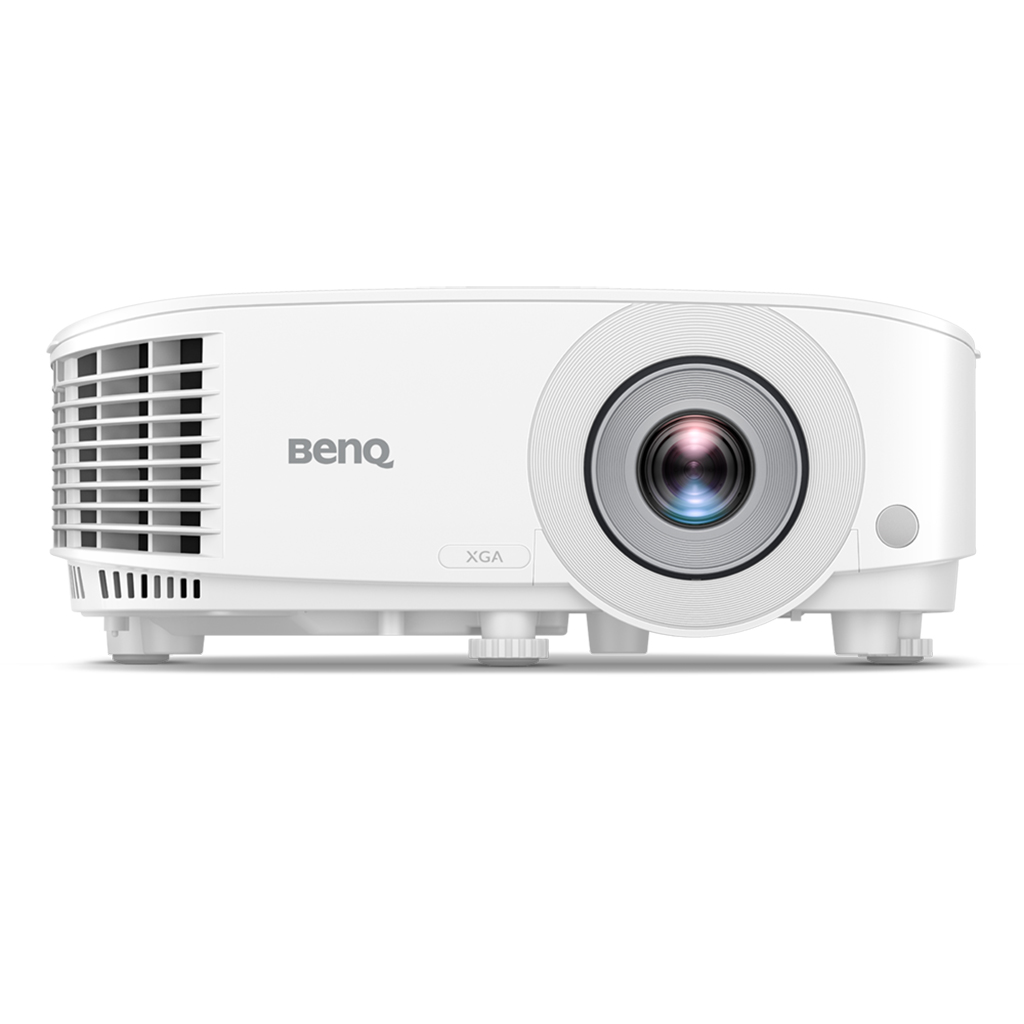
For most tasks, XGA or Full HD resolution is sufficient. If you plan to use the projector for office presentations, an excellent option would be the BENQ MX560 Projector, DLP, XGA, 4000Lm, 20000:1, D-sub, HDMI, white. This model offers 1024×768 resolution, which is ideal for displaying presentations, charts, and tables in a business environment.
Brightness: A Key Parameter for Different Lighting Conditions
Projector brightness is measured in lumens (Lm) and determines how bright the image will be. This is a critically important parameter that depends on usage conditions:
- 1000-2000 Lm — suitable only for darkened rooms, home theater
- 2500-3500 Lm — a universal option for rooms with moderate lighting
- 4000+ Lm — for large halls, conference rooms, and brightly lit spaces
The aforementioned BENQ MX560 has a brightness of 4000 lumens, making it ideal for use in offices and lecture halls with natural lighting. You'll be able to conduct presentations even in daylight without needing to darken the room.
For a home theater in a darkened room, 2000-2500 lumens is sufficient. But if you plan to watch movies with the lights on or during the day, it's better to choose a model with brightness from 3000 lumens.
Contrast Ratio: Depth of Black and Brightness of White
Contrast ratio shows the difference between the darkest and brightest areas of the image. The higher the contrast ratio, the more dimensional and realistic the picture looks. For quality movie viewing, it's desirable to have a contrast ratio of 10000:1 and higher.
The BENQ MX560 projector offers an impressive 20000:1 contrast ratio, which ensures deep black color and bright light tones. This is especially important when viewing content with many dark scenes or for displaying charts and diagrams with clear contrast.
Types of Projection Systems
There are several main projection technologies, each with its own advantages:
DLP (Digital Light Processing)
The most popular technology used in most modern projectors. DLP provides high contrast, image clarity, and durability. DLP-based projectors are compact and reliable. The BENQ MX560 uses this very technology, guaranteeing stable image quality over a long period.
LCD (Liquid Crystal Display)
LCD projectors feature bright colors and high light efficiency. They are often cheaper than DLP models but may have a shorter operational life and lower contrast ratio.
LCoS (Liquid Crystal on Silicon)
A premium technology that combines the advantages of DLP and LCD. It provides the highest image quality, but such projectors cost significantly more.
Connectivity Interfaces: Versatility and Compatibility
A modern projector should have sufficient ports for connecting various devices. The main interfaces to pay attention to:
- HDMI — the main digital interface for connecting laptops, media players, gaming consoles
- D-sub (VGA) — an analog interface for older computers and laptops
- USB — for connecting flash drives with presentations or powering devices
- Audio input/output — for connecting external speakers or microphones
The BENQ MX560 is equipped with two HDMI ports, two D-sub ports, USB Type-A, as well as audio input and output. Such a variety of interfaces allows you to connect virtually any device without additional adapters. For convenient connection of various gadgets, you may also need quality cables and adapters.
Additional Features and Capabilities
Keystone Correction
If the projector is not installed strictly perpendicular to the screen, the image may have a trapezoidal shape. The correction function allows you to fix this programmatically. The BENQ MX560 has vertical correction of +/- 40 degrees, which provides great freedom in device placement.
Built-in Speakers
For small rooms or simple presentations, it's convenient to have built-in speakers. This saves space and simplifies connection. However, for a home theater, it's better to use an external sound system.
Lamp Life
The projection lamp is a consumable that needs replacement after a certain number of operating hours. Modern projectors offer a lifespan from 6000 to 15000 hours depending on the operating mode. The BENQ MX560 has a lamp life of up to 15000 hours in economy mode, which will ensure many years of trouble-free operation.
Image Size and Projection Distance
Before purchasing, it's important to determine what screen size you want to achieve and how much space is available for placing the projector. Different models have different projection ratios:
The BENQ MX560 can create an image from 1.7 to 3.8 meters diagonally (approximately 67 to 150 inches). The 1.1x zoom ratio allows you to slightly adjust the image size without moving the projector. For most living rooms and conference halls, these parameters will be sufficient.
Setup and Operation
After installing the projector, it's important to set it up correctly. Here are some tips:
- Place the projector on a stable surface or use ceiling mounting
- Ensure adequate ventilation — projectors generate heat
- Adjust focus and keystone correction for a sharp image
- Configure brightness and contrast for your lighting conditions
- Regularly clean air filters to extend service life
Network Connectivity for Modern Projectors
Some modern projectors support network connectivity for wireless content streaming. If your projector doesn't have built-in Wi-Fi, you can use external solutions. For stable network connection, we recommend considering quality routers that will ensure reliable data transmission without delays.
Practical Summary: How to Choose the Perfect Projector
Choosing a projector depends on your specific needs and usage conditions. For office presentations and educational institutions, the key parameters are brightness (from 3500 Lm), adequate resolution (XGA or higher), and a variety of connection ports. The BENQ MX560 Projector perfectly meets these requirements, offering 4000 lumens of brightness, XGA resolution, and all necessary interfaces.
For a home theater, it's worth preferring models with Full HD or 4K resolution, high contrast ratio (from 10000:1), and brightness from 2000 lumens. Pay attention to lamp life — the longer it is, the less frequently you'll need to replace this consumable element.
Don't forget about additional features: keystone correction will simplify installation, built-in speakers will make usage more convenient, and a variety of ports will allow you to connect any devices without problems. A properly chosen projector will serve you for many years, providing quality images for work and entertainment.
Products related to this post
₴519 грн.
Add to Cart
₴79 грн.
Add to Cart
₴2,999 грн. ₴3,599 грн.
Add to Cart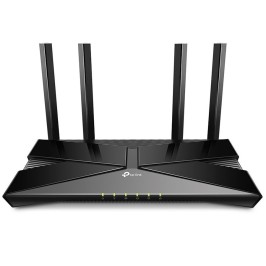
₴3,749 грн.
Add to Cart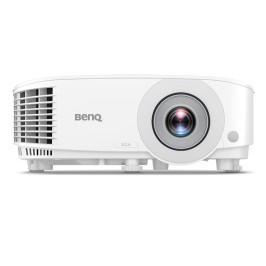
₴23,625 грн. ₴31,540 грн.
Add to Cart