



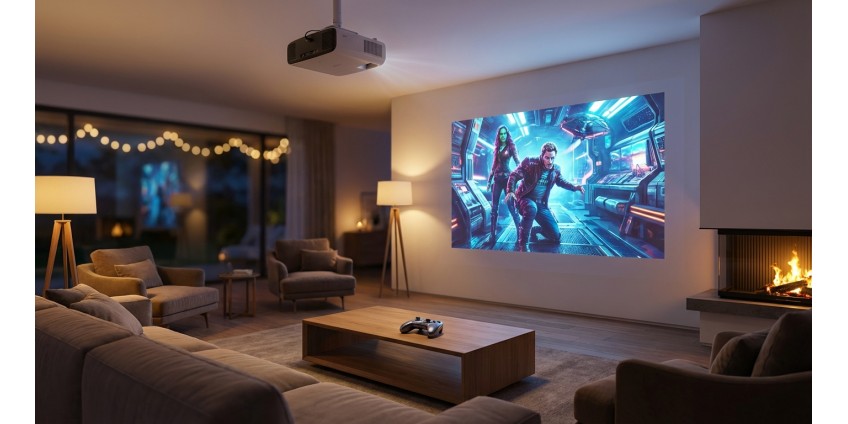
Home Theater in 2026: How to Choose a Projector for Movies and Gaming
Creating a home theater is more accessible than ever before. In 2026, projectors offer impressive image quality that was previously only available in professional cinemas. Whether you dream of a true cinematic experience at home or want to take your gaming sessions to the next level, the right projector will be the heart of your entertainment system. Let's figure out what to look for when choosing and which features really matter.
Why a projector and not a TV?
Before we get into the technical details, it’s worth understanding the advantages of a projector over a classic TV. The main advantage is the size of the image. Even the largest TVs rarely exceed 85 inches, while a projector can easily create images from 100 to 300 inches diagonally. This completely changes the viewing experience — you’re not just watching a movie, you’re immersed in it.
The second important point is space saving. The projector can be mounted under the ceiling or placed on a shelf, and the screen can be folded or hidden when not needed. This is especially important for small apartments, where every meter is worth its weight in gold. In addition, a large projector screen with reflected light is more comfortable for the eyes than the bright radiation of a TV, especially during prolonged viewing.
Key features of a home theater projector
Resolution: 4K as the new standard
In 2026, 4K UHD (3840x2160) resolution will become the standard for home theaters. This level of detail is especially noticeable on large screens - every texture, every detail looks sharp and realistic. Whether you plan to watch content from Netflix, Disney+, Prime Video or play on PlayStation 5 or Xbox Series X, a 4K projector will unlock the full potential of these platforms.
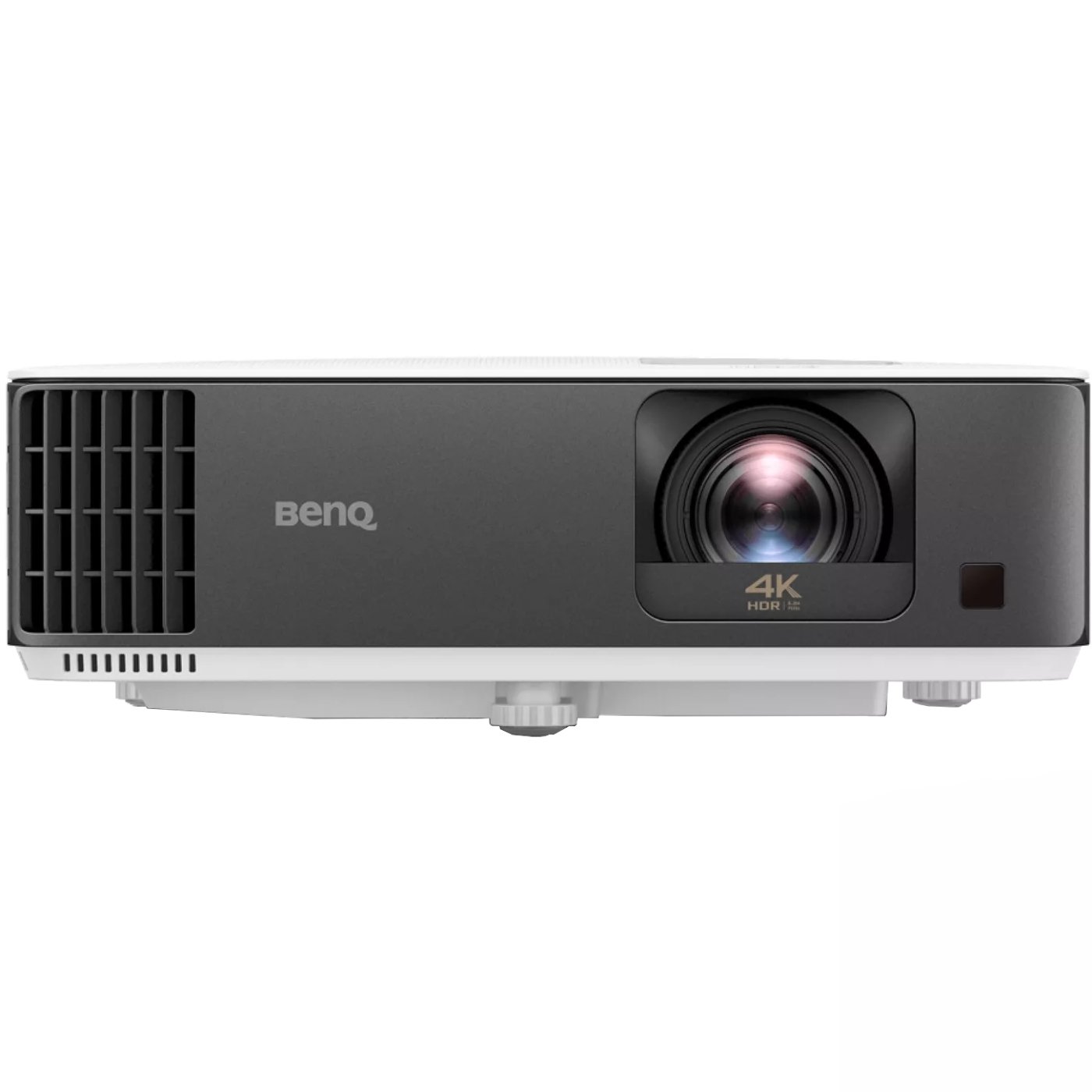
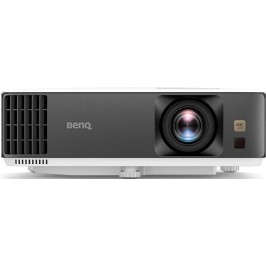
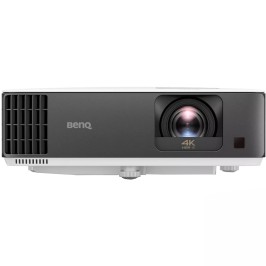
An example of a quality solution is the BENQ TK700ST 4K UHD projector . This projector uses DLP technology, which provides rich colors and deep blacks thanks to a contrast ratio of 10,000:1.
Brightness: How many lumens do you need?
The brightness of the projector is measured in lumens (lm or AL). For a home theater, the optimal range is considered to be from 2000 to 3500 lumens. Why so much? If you have the opportunity to completely darken the room, 2000-2500 lumens is enough. But if you plan to watch movies in the evening with low lighting on or during the day with the windows closed, it is better to choose models with a brightness of 3000 lumens or more.
The BENQ TK700ST offers 3000 lumens, making it a versatile option. You can enjoy bright images even in less than ideal lighting conditions, which is especially important for watching sports events or fast-paced games.
Contrast and image quality
Contrast ratio shows the difference between the lightest and darkest areas of an image. The higher the ratio, the deeper the shadows and the brighter the highlights. For a cinematic experience, a contrast ratio of 10,000:1 and above is recommended. This is the contrast ratio that allows you to see details in dark movie scenes and feel the true depth of the image.
Short-throw projectors: solutions for small spaces
One of the biggest challenges when setting up a projector is the distance required between the projector and the screen. Standard models require 3-5 meters to create a 100-inch image. Short-throw projectors solve this problem.
The BENQ TK700ST is a short-throw model that can create an image from 0.7 to 7.6 meters diagonally. Thanks to the 1.2x magnification factor, you can place the projector just 1.5-2 meters from the wall and get a 100-inch screen. This is ideal for standard domestic apartments where it is not possible to move the projector 4-5 meters away.
Projector for gamers: what to look for
If you plan to use the projector for gaming, parameters such as refresh rate and input lag become especially important. The BENQ TK700ST supports a vertical refresh rate of up to 120 Hz, which is critical for fast-paced shooters, racing, and sports simulators.
A high refresh rate means smoother, blur-free images in fast-paced scenes. Whether you're playing on next-gen consoles or a powerful PC, the ability to output 4K at 60Hz or 1080p at 120Hz makes the gaming experience incredibly immersive on the big screen.
An added bonus is the presence of two HDMI and USB Type-A ports, which allows you to connect multiple devices at the same time: a game console, media player, and computer without constantly switching cables. If you are interested in other entertainment gadgets, check out the Electronics section on our website.
Projection technology: DLP, LCD or LCoS?
There are three main projection technologies, each with its own characteristics. DLP (Digital Light Processing) uses micromirrors to create an image. Advantages: clarity, deep blacks, compactness, durability. DLP is used in the BENQ TK700ST.
LCD projectors use liquid crystal displays (LCDs) to transmit light. They are typically brighter and more affordable, but can suffer from poor contrast. LCoS is a premium technology that combines the benefits of both approaches, but costs significantly more.
For home theater, DLP remains the golden mean: excellent image quality, reliability, and an affordable price. The technology has practically eliminated the "rainbow" effect that bothered some users in older models.
Lamp life and economy
An important practical point is the projector lamp life. The BENQ TK700ST has several operating modes: normal mode provides 4,000 hours, SmartEco — 8,000 hours, LampSave — up to 15,000 hours, and ECO mode — 10,000 hours. This means that even with active use (3 hours per day), the lamp will last for 9-14 years in economy mode.
Different modes allow you to balance between brightness and economy. For a completely darkened room, ECO mode is suitable, which extends the lamp life. For viewing in partial lighting conditions, you can use normal mode with maximum brightness.
Additional features and usability
Keystone correction
It is not always possible to place the projector perfectly perpendicular to the screen. The keystone correction function corrects image distortion. The BENQ TK700ST supports vertical and horizontal correction up to ±30 degrees, which gives you freedom in placing the device.
Built-in speakers
While a separate audio system is recommended for a true cinema experience, the built-in speakers are useful for quick content viewing or presentations. The BENQ TK700ST has built-in speakers and an audio output for connecting external speakers.
Projection offset
An offset of 110% means that the image is projected above the center of the lens. This allows you to place the projector on a table or stand and the image will be on the wall above the level of the device, without having to tilt it up.
What you need for a complete home theater
In addition to the projector itself, you will need a few additional items. First, a screen or prepared white wall. Special screens improve image quality, but a flat, light wall will also work for a start.
Second, blackout. Even a bright projector benefits from the ability to control the lighting. Blackout curtains or roller blinds will greatly enhance the viewing experience.
Third, quality sound. You can start with a soundbar or powered speakers, and later expand the system to full 5.1 or 7.1 surround sound. Don't forget about TV and audio cables to connect all the components of the system.
Fourth, the content source: media player, game console, computer or Smart TV set-top box. Most modern projectors do not have built-in smart functions, so an external device is required to access streaming services.
Installation and setup
Installing a projector does not require any special skills. Short-throw models can simply be placed on furniture against a wall. For stationary versions, there are ceiling mounts that allow you to hide the projector and cables.
When you first start it up, take some time to set it up: adjust the focus, correct keystone, and adjust the colors and brightness to suit your room. Most projectors have preset modes (cinema, sports, gaming) that you can use as a starting point.
If you are installing a projector in your living room, consider the layout of the space. Lighting solutions will be helpful to create the right atmosphere for different usage scenarios.
Summary: what to look for when choosing
When choosing a projector for your home theater in 2026, focus on the following key parameters: 4K UHD resolution for maximum detail, brightness from 3000 lumens for versatility, contrast from 10000:1 for image depth, short-throw optics to save space.
For gamers, high refresh rates (up to 120 Hz) and low input lag are critical. DLP technology provides the best value for money. Long lamp life (8000-15000 hours in economy modes) makes operation cost-effective.
The BENQ TK700ST projector combines all these features, offering professional image quality for movies and games in a compact body that easily integrates into any interior. With the right projector, your living room will turn into a real movie theater, where every evening will become a special event for the whole family.
Products related to this post
₴29,610 грн. ₴39,530 грн.
Add to Cart
₴76,230 грн. ₴101,768 грн.
Add to Cart