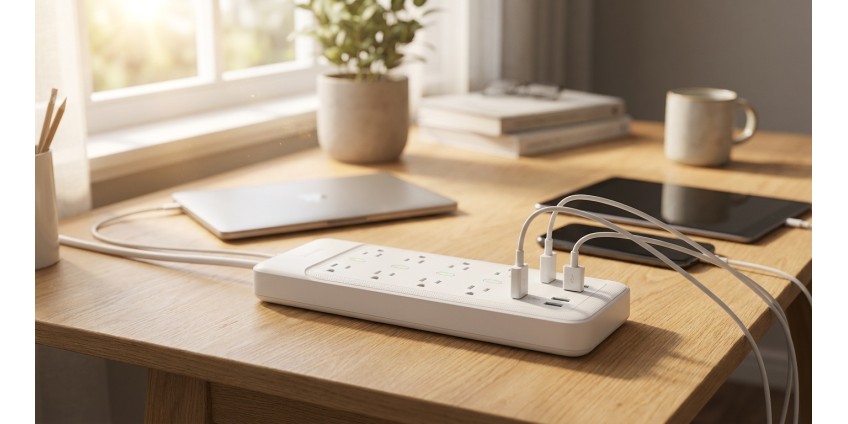
How to Choose a Surge Protector for Home Appliances in 2026: Protection from Voltage Surges, Number of Outlets, USB Ports, and S
A surge protector is not just an extension cord with multiple outlets. It's an essential element for protecting your expensive household appliances from unexpected voltage spikes, short circuits, and other electrical network problems. In 2026, when every home has dozens of electronic devices – from smartphones to refrigerators – choosing the right surge protector becomes a critically important issue.
Why a Surge Protector is a Necessity, Not a Luxury
Many Ukrainians still use ordinary extension cords without protection, not realizing the risks. Sudden voltage fluctuations can damage your TV, computer, washing machine, or any other appliance. This problem has become especially relevant in conditions of unstable power supply, when power outages and restoration can be accompanied by voltage spikes.
A quality surge protector performs several important functions: smooths out high-frequency interference, protects against impulse overvoltages, prevents short circuits and network overload. It's your first line of defense between an unstable electrical network and expensive equipment.
Key Parameters for Choosing a Surge Protector
Maximum Power and Load Current
The first parameter to pay attention to is the maximum power the filter can handle. It's measured in watts (W) or kilowatts (kW). For reference: a typical computer consumes about 300-500 W, a TV – 100-200 W, an iron – up to 2000 W.
The total power of all connected devices should not exceed the maximum power of the filter. For home use, an optimal filter would be 2.5-3 kW with a maximum load current of 10-16 A. This will allow you to safely connect several devices simultaneously.
Number of Outlets – How Many Do You Really Need
The number of outlets in surge protectors varies from 2 to 8 or more. The choice depends on your needs:
- 2-3 outlets – suitable for a desk with a computer and monitor
- 4-5 outlets – optimal option for most usage scenarios
- 6-8 outlets – for entertainment centers with TV, game console, soundbar, etc.
Important nuance: pay attention to the distance between outlets. If they're positioned too closely, large adapters may block adjacent sockets.
USB Ports – A Modern Necessity
In 2026, having USB ports in a surge protector is no longer exotic, but a standard. This allows you to charge smartphones, tablets, headphones, and other gadgets without using separate adapters, saving outlets for more powerful devices.
Modern filters are equipped with USB-A and USB-C ports with fast charging support. The optimal current strength for a USB port is from 2.4 A, which will ensure fast charging even for tablets. Some models offer USB-C with Power Delivery support up to 20-30 W.
Types of Protection in Surge Protectors
Overvoltage Protection
This is the main function of any surge protector. Inside the device, varistors are installed – elements that absorb impulse overvoltages and convert them into heat. An important parameter is the energy absorption level, measured in joules. For reliable protection, look for filters with a rating of 200 joules or higher.
Short Circuit Protection
Quality surge protectors are equipped with an automatic circuit breaker that instantly breaks the circuit when a short circuit occurs. This prevents fire and equipment damage. After eliminating the problem, some models can be restarted by pressing a button, others have a one-time fuse.
Overload Protection
If the total power of connected devices exceeds the permissible limit, the filter automatically shuts off. This protects the wiring from overheating and prevents fire. After reducing the load, the filter can be turned on again.
High-Frequency Interference Filtering
The electrical network contains various high-frequency interference from electric motors, welding equipment, and switching power supplies. This interference can negatively affect the operation of sensitive electronics. A surge protector smooths out this interference, ensuring stable power supply.
Additional Features and Characteristics
Individual Switches
Some surge protectors are equipped with separate switches for each outlet or group of outlets. This is convenient if you want to turn off one device without disconnecting others. It also allows you to save electricity by completely disconnecting equipment in standby mode.
Operation and Protection Indicators
Light indicators show whether the filter is working and whether overvoltage protection is active. This is important because varistors degrade over time and may lose their protective properties. The indicator will warn you about the need to replace the filter.
Cable Length
The standard cable length of a surge protector is from 1.5 to 3 meters. Choose the length depending on the distance to the outlet. A cable that's too long will create clutter, one that's too short will limit placement options.
Grounding
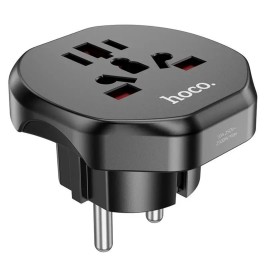
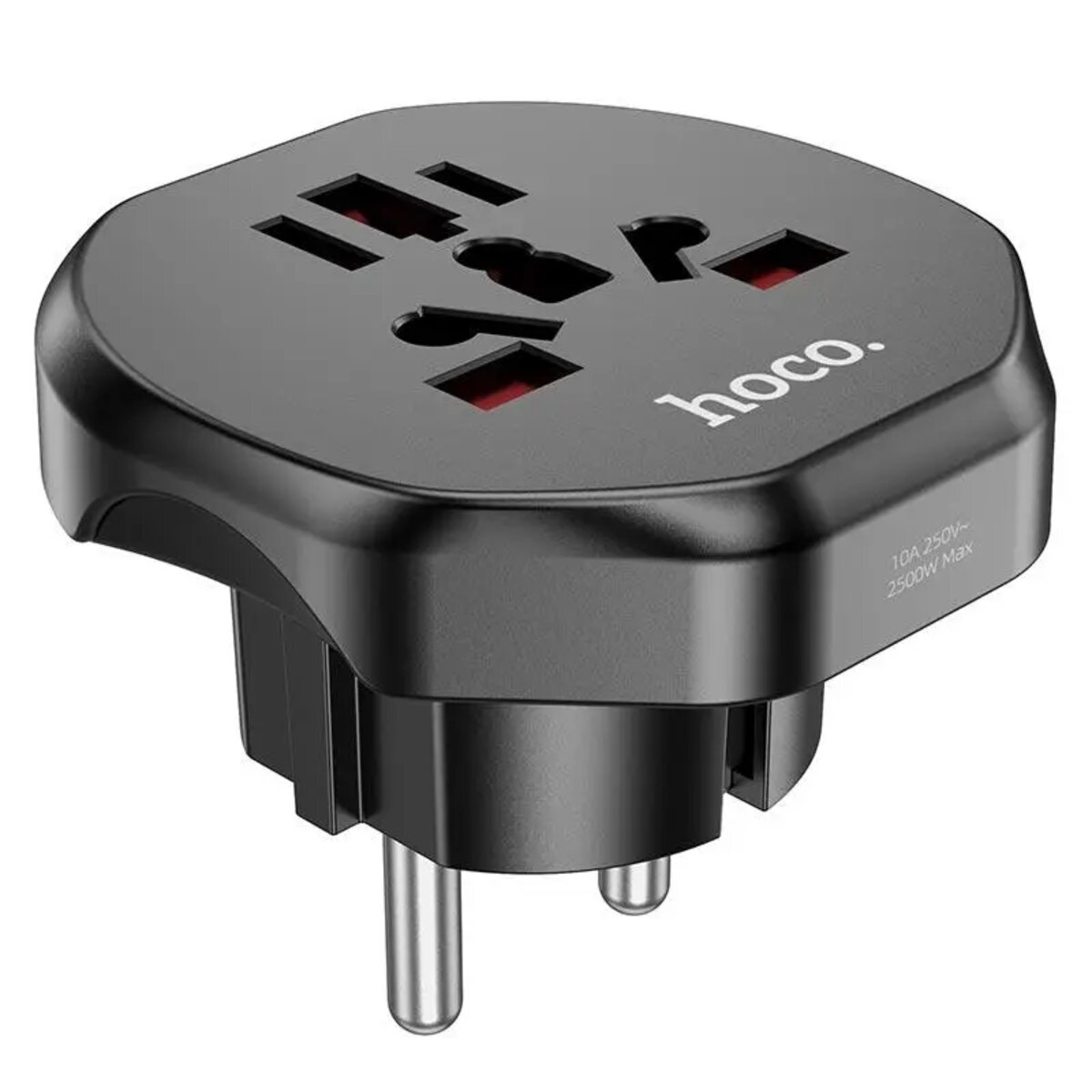
The presence of grounding is critically important for safety, especially when connecting powerful equipment. Make sure the filter has grounding contacts and your home wiring supports grounding. If you travel frequently, pay attention to universal adapters with grounding support, such as HOCO AC6 Unimpeded universal conversion plug Black, which supports different types of outlets and voltage from 100V to 250V with a maximum power of 2.5 kW.
Common Mistakes When Choosing a Surge Protector
Mistake #1: Buying the cheapest option. A surge protector is not an item to save money on. Cheap models often don't have real protection and are just extension cords with a button.
Mistake #2: Ignoring maximum power. Connecting devices whose total power exceeds the filter's capabilities is dangerous and can lead to fire.
Mistake #3: Not paying attention to service life. Varistors in surge protectors gradually lose their properties. The average service life of a quality filter is 3-5 years with active use.
Mistake #4: Connecting one filter to another. Daisy-chaining surge protectors can lead to unpredictable consequences and reduces protection effectiveness.
Where to Place Surge Protectors in Your Home
Proper placement of surge protectors is just as important as choosing them. Here are the main recommendations:
- Workspace: Filter for computer, monitor, printer, and other office equipment
- Entertainment center: TV, game console, soundbar, media player
- Kitchen: Microwave, multicooker, electric kettle (but not refrigerator – it's better to connect it directly)
- Bedroom: Chargers for gadgets, night light, alarm clock
It's not recommended to connect powerful heating appliances (heaters, irons, hair dryers) and equipment with electric motors (vacuum cleaners, refrigerators, air conditioners) through a filter – they're better connected directly to the outlet.
Care and Maintenance of Surge Protectors
A surge protector doesn't require complex maintenance, but a few simple rules will help extend its service life:
- Regularly check the operation indicators – if the protection indicator goes out, the filter needs replacement
- Don't overload the filter – always consider the total power of connected devices
- Place the filter in an accessible location with good ventilation
- Wipe the housing from dust – dust can worsen contact and lead to heating
- Don't use damaged filters with cracks on the housing or melted outlets
Alternative Solutions for Equipment Protection
Besides surge protectors, there are other ways to protect electronics. For particularly valuable equipment (computers, servers, expensive audio equipment), consider uninterruptible power supplies (UPS), which not only protect against voltage fluctuations but also provide autonomous operation during power outages.
To protect an entire apartment or house, you can install an input protection device in the electrical panel. This will provide comprehensive protection for all wiring and equipment, but requires professional installation by an electrician.
If you need additional accessories for organizing space and protecting equipment, visit the Surge Protectors, Adapters and Extension Cords section, where you'll find a wide selection of solutions for any needs.
Conclusion: What to Pay Attention to When Buying
Choosing a surge protector in 2026 is a balance between protection, functionality, and price. Here's a quick checklist for selection:
- Maximum power of at least 2.5 kW for home use
- Sufficient number of outlets for your needs (4-6 is optimal)
- Presence of USB ports for convenient gadget charging
- Overvoltage protection with absorption level from 200 joules
- Automatic protection against overload and short circuit
- Operation and protection status indicators
- Grounding for safety
- Quality housing from a trusted manufacturer
Don't forget that a surge protector is a consumable item that requires periodic replacement. Even a quality filter loses its protective properties after several years of intensive use. It's better to replace the filter once every few years than to repair expensive equipment after a voltage spike.
Investing in a quality surge protector is an investment in the longevity of your equipment and the safety of your home. A properly chosen filter will serve you for years, protecting your electronics from unpredictable electrical network problems. For additional home products, visit the Home Products section, where you'll find everything you need for comfortable and safe living.
Products related to this post

₴198 грн. ₴245 грн.
Add to Cart